New · A fresh light mode

Project tracking
at the speed of code.

Keyboard-first task tracking, design reviews your clients approve from a link, and real-time sync for the whole team. Plug in your AI assistant via MCP. Built in Germany.
No credit cardBuilt in Germany
The Nebulist project board
Search everything…⌘K
B — Sky · V2Approved
Core principles
Keyboard-firstReal-time syncBuilt in GermanyAgent-ready via MCP
Features

Fast by design.
Zero project management tax.

Designed for how product teams actually work: a keyboard-driven board for engineers, a review workspace for designers, one link for the client — and a direct line to your AI coding setup.

Design reviews
NEW

Feedback pinned to the pixel. Approval tied to a version.

Upload variants and keep every version. Reviewers pin comments to the exact spot, compare two versions side by side and approve one exact revision — so the wrong file never goes to print. Works on your phone, too.
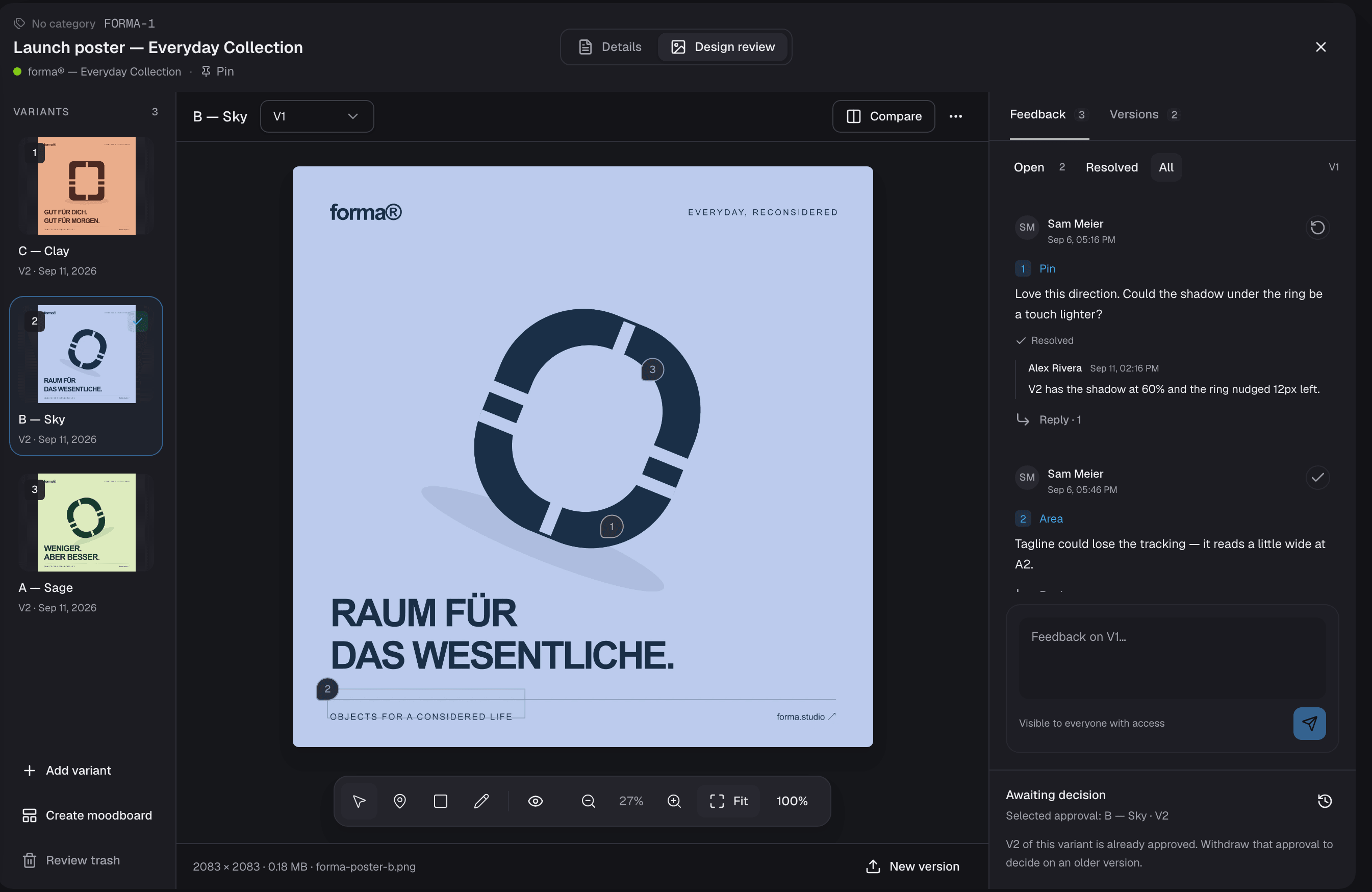
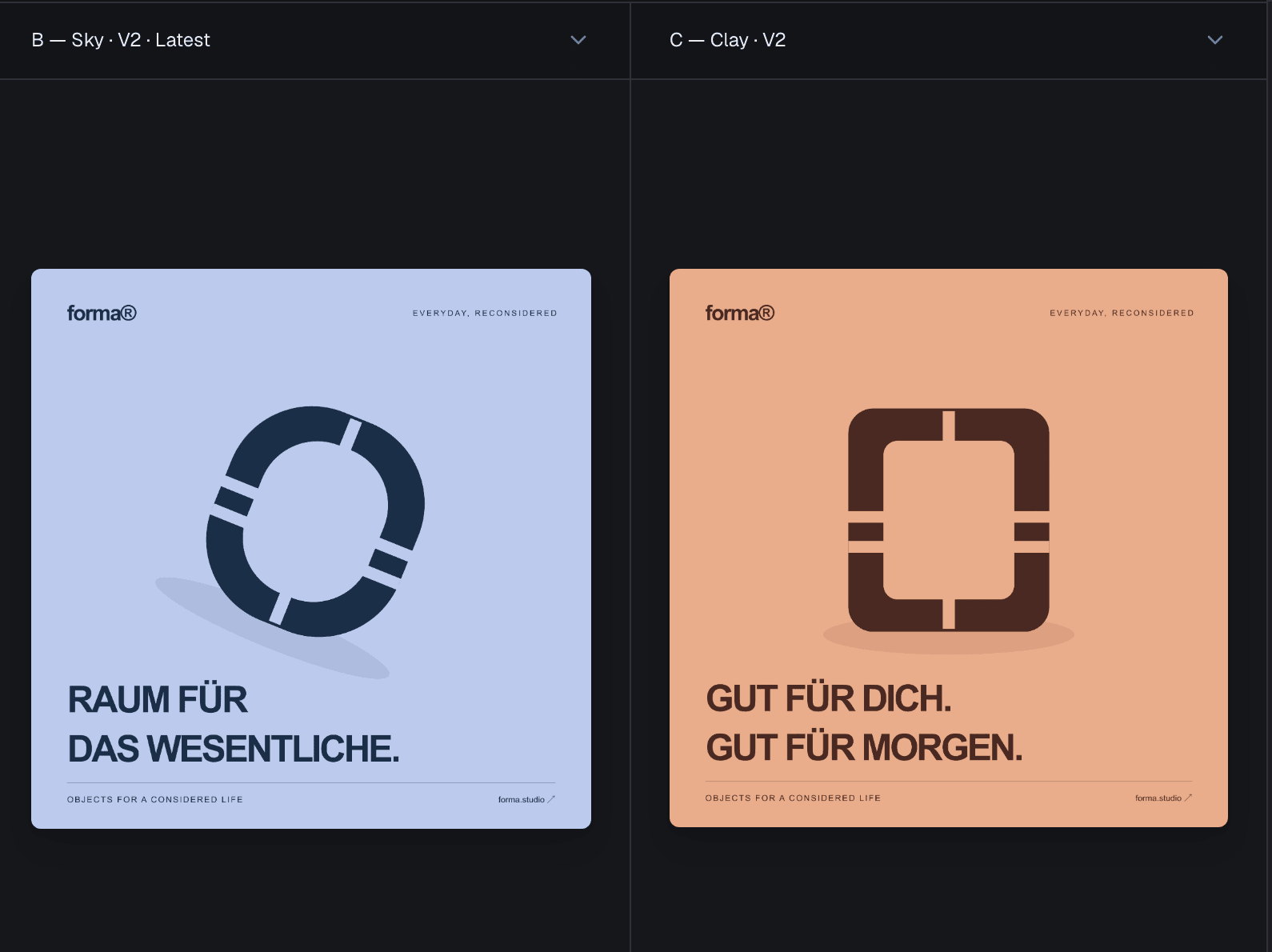
The design review workspace: three variants, pinned feedback threads with replies and the approval state
How a review runs
  1. The variant rail with three variants and version numbers
    01

    Variants & versions

    Explore A, B and C. Every upload is a numbered version, nothing gets overwritten, and any two can be compared side by side.

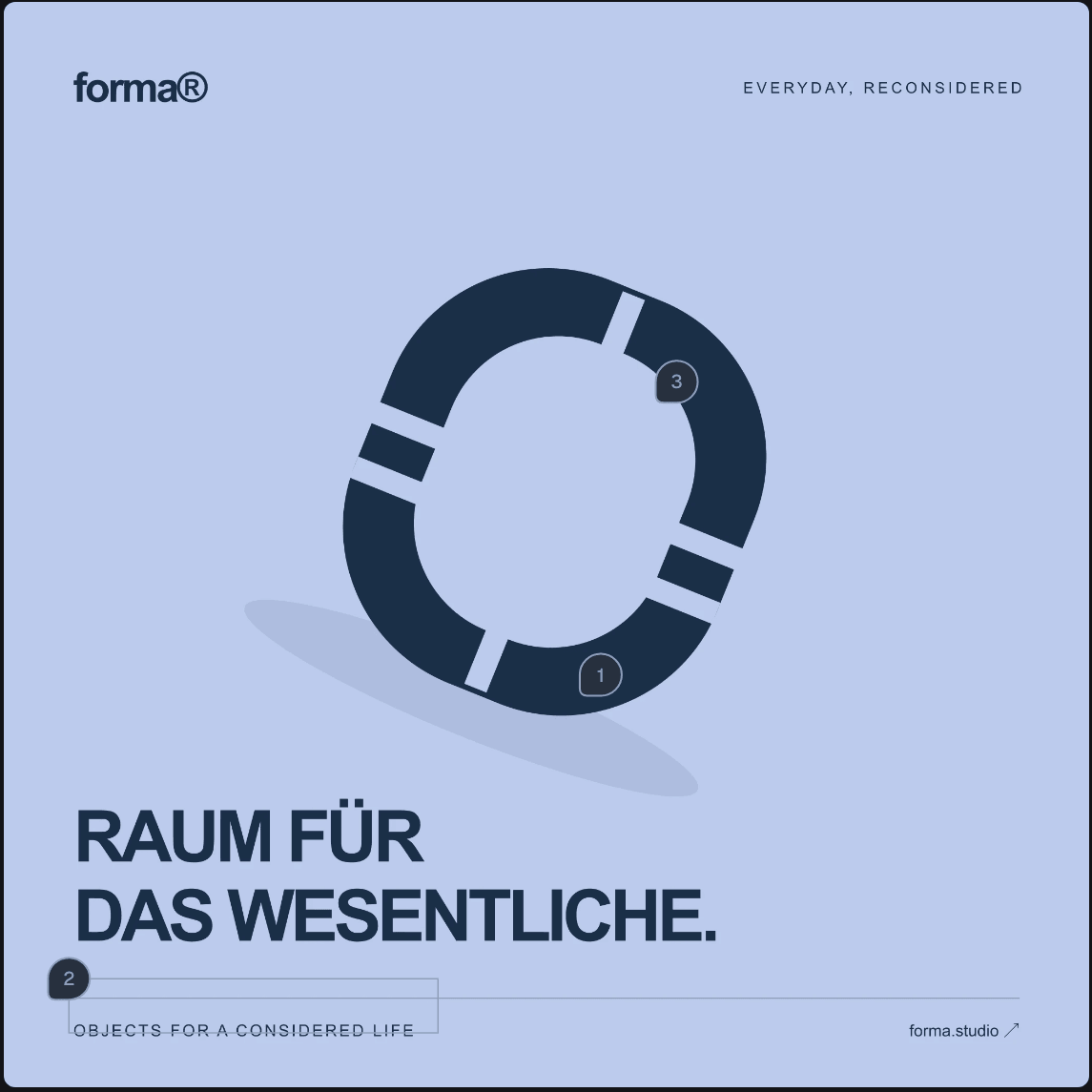
  2. A poster with three numbered feedback markers
    02

    Annotate

    Pins, areas and freehand marks open threads on the exact version. Reply, resolve, reopen.

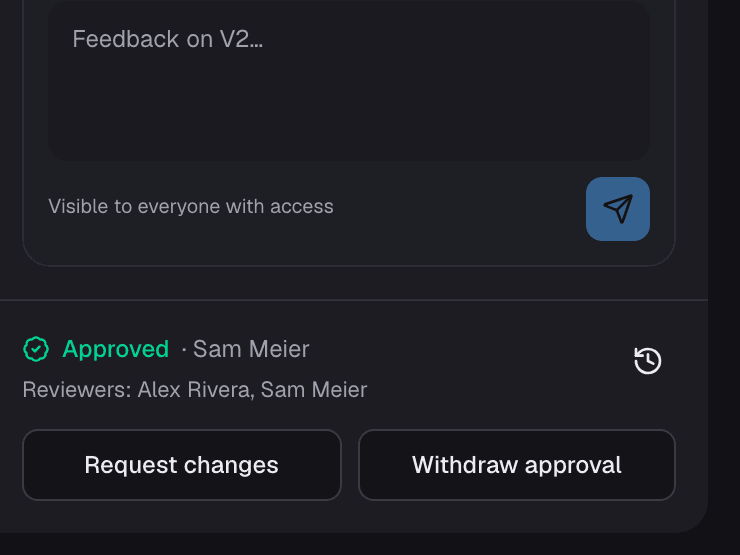
  3. The decision bar showing an approval by Sam Meier
    03

    Decide

    Named reviewers approve or request changes on one exact version. Task status stays yours.

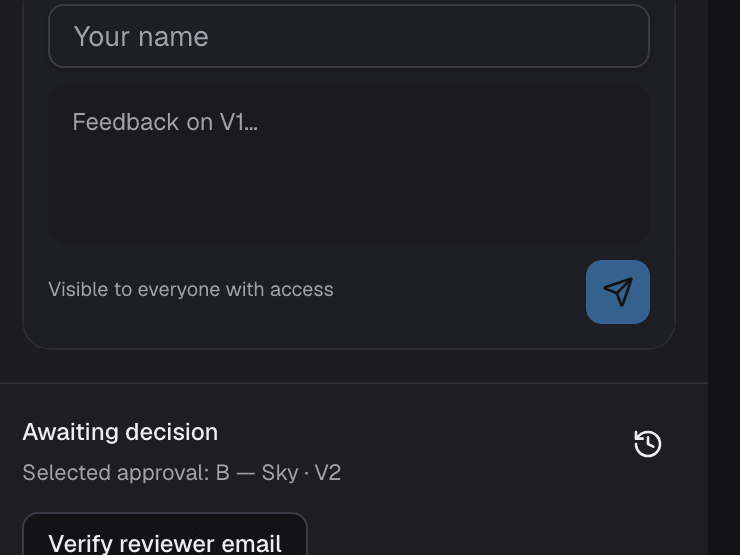
  4. The guest feedback composer on a shared review
    04

    Share with clients

    One link, no account. Guests verify their email once, and their name sticks to every comment and decision.

Board

A board that prioritizes active work

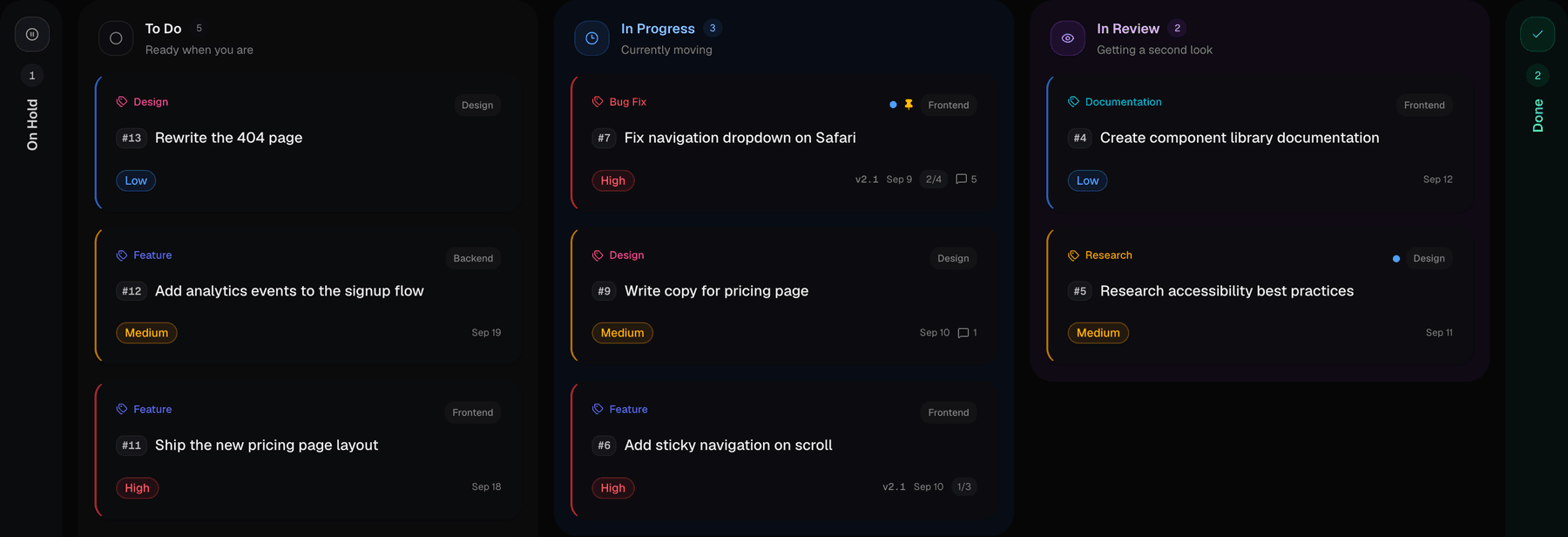
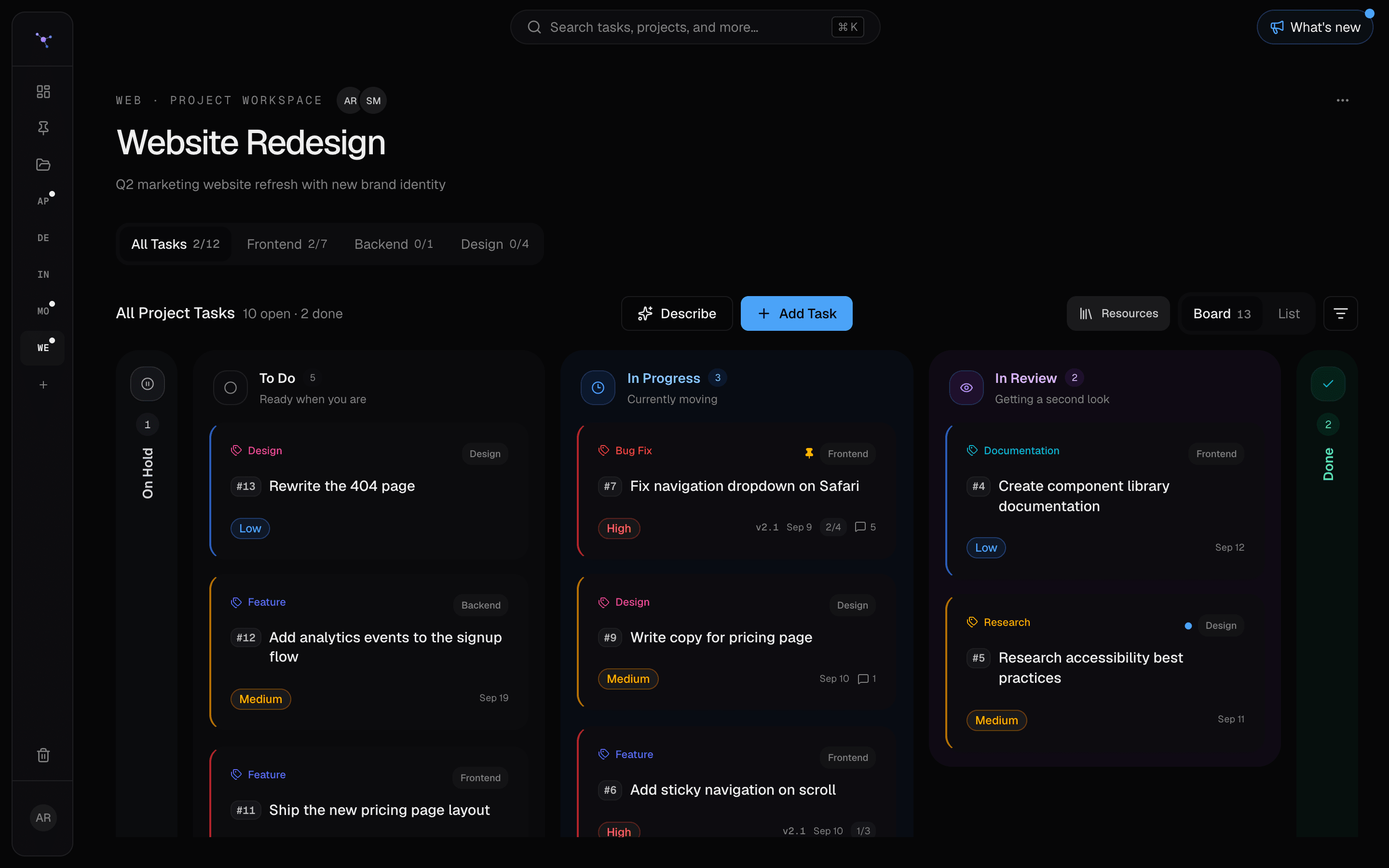
Inactive columns (On Hold and Done) fold away into slim rails automatically — giving maximum screen real estate to the work in flight.

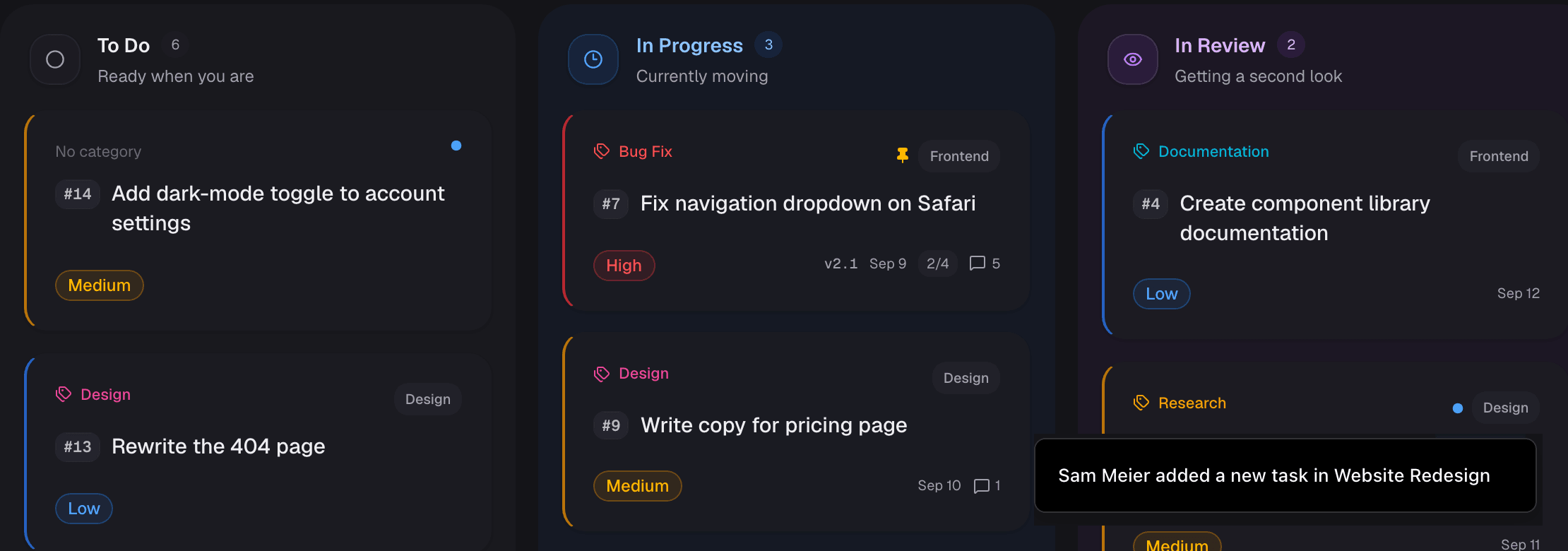
The Nebulist board with the To Do, In Progress and In Review columns
Realtime

Live sync with unread indicators

Updates land without a page refresh. Subtle dots highlight any task updated by a teammate since your last review.

A board where a teammate's new task just landed, marked with an unseen dot and a toast
Agent Connect
PRO AI

Connect Claude, Cursor, or ChatGPT via MCP

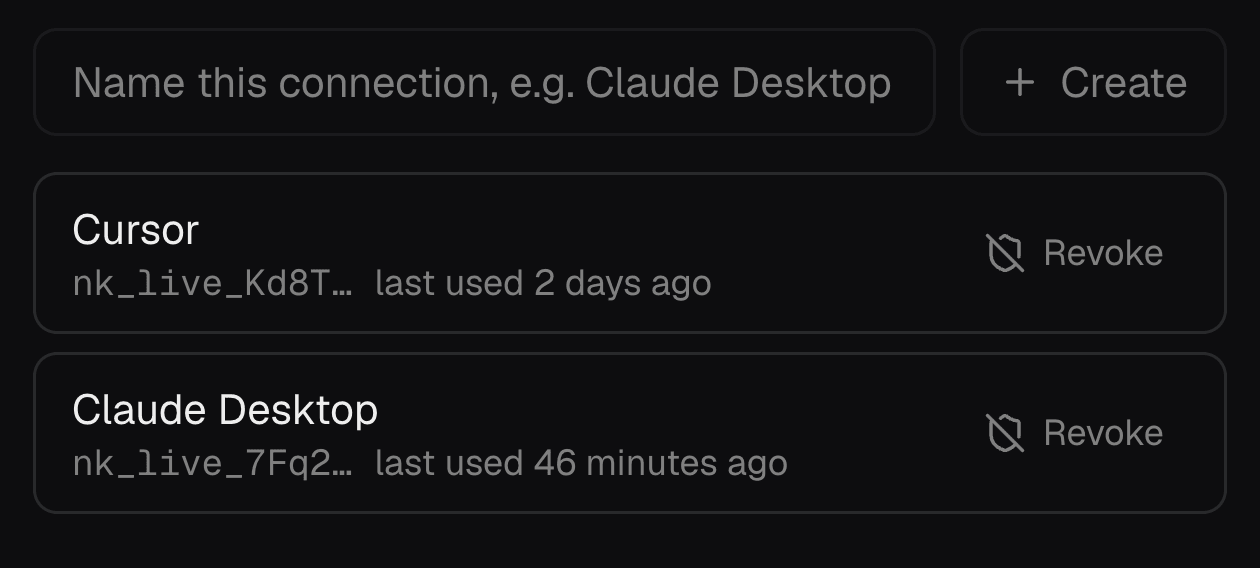
Query your roadmap, create tickets, log implementation notes — or let it read a design review and pin feedback right on the image. Safe by default: it cannot delete data, it respects your role, and every agent edit carries a badge.

The Agent Connect settings with two connected assistants
Search

⌘K finds anything instantly

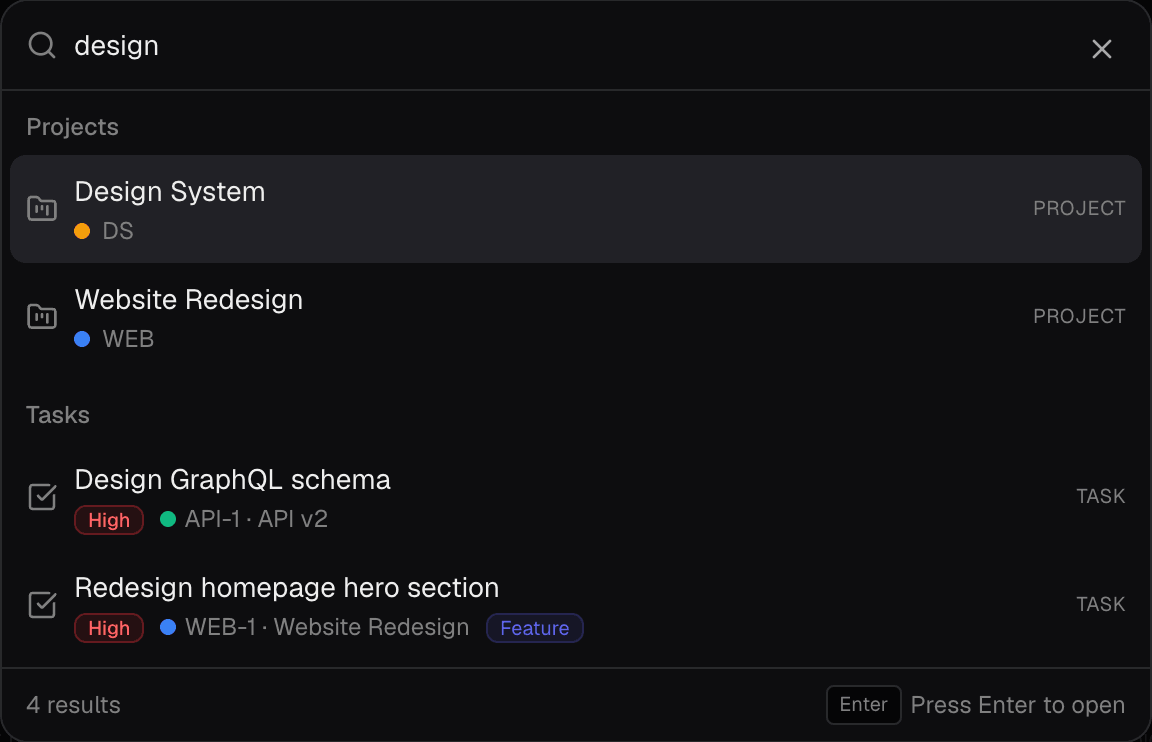
Fuzzy search across every task and project you can see, typos included. Arrow keys, Enter, back to work.

The command palette showing project and task results
Task

Specs, subtasks, and files in one panel

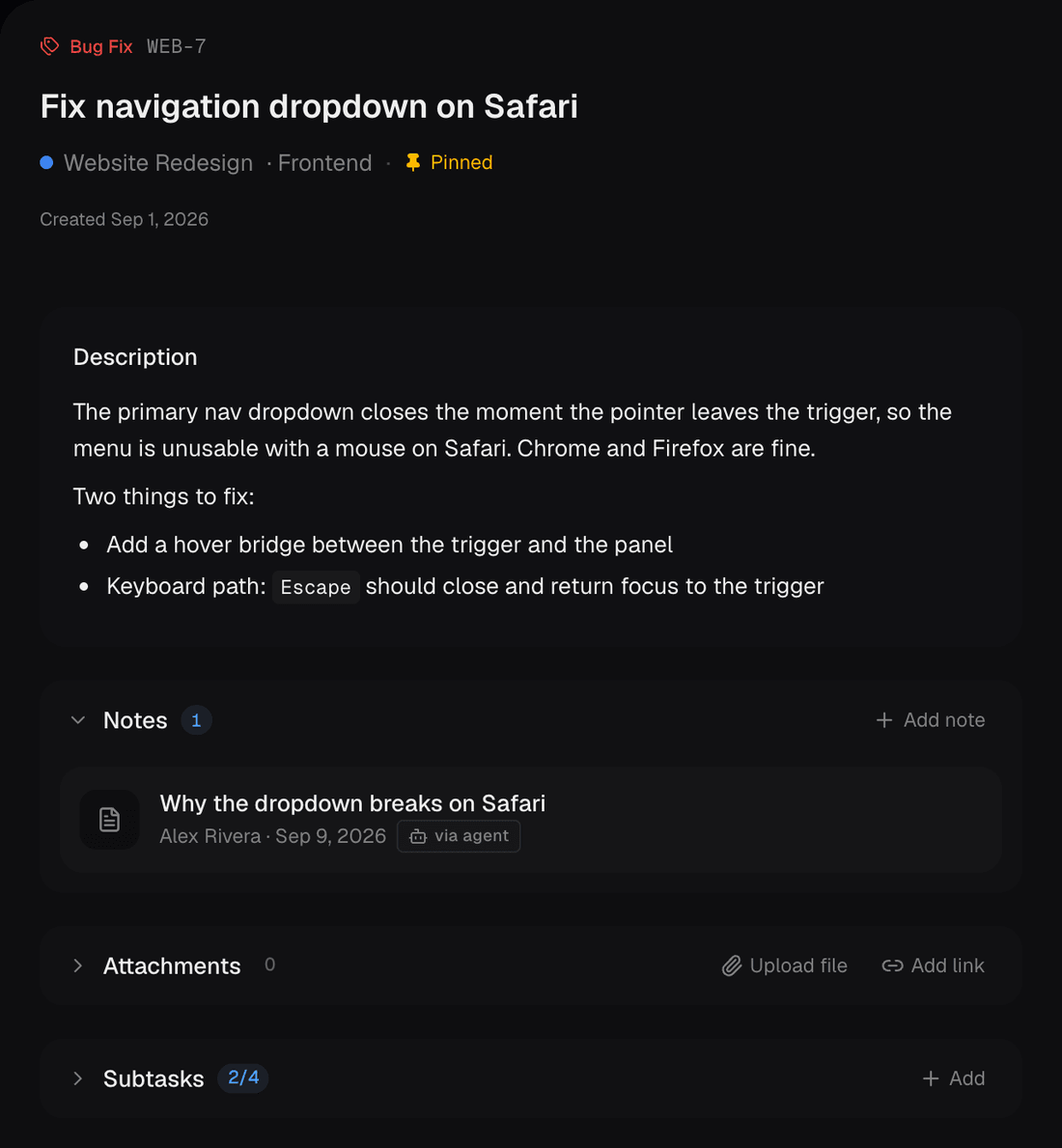
Markdown specs, subtasks, file attachments, and metadata — edit status, milestones, and estimates inline without modal fatigue.

A task panel showing the description and a note
Comments

Discussions with context and pinned updates

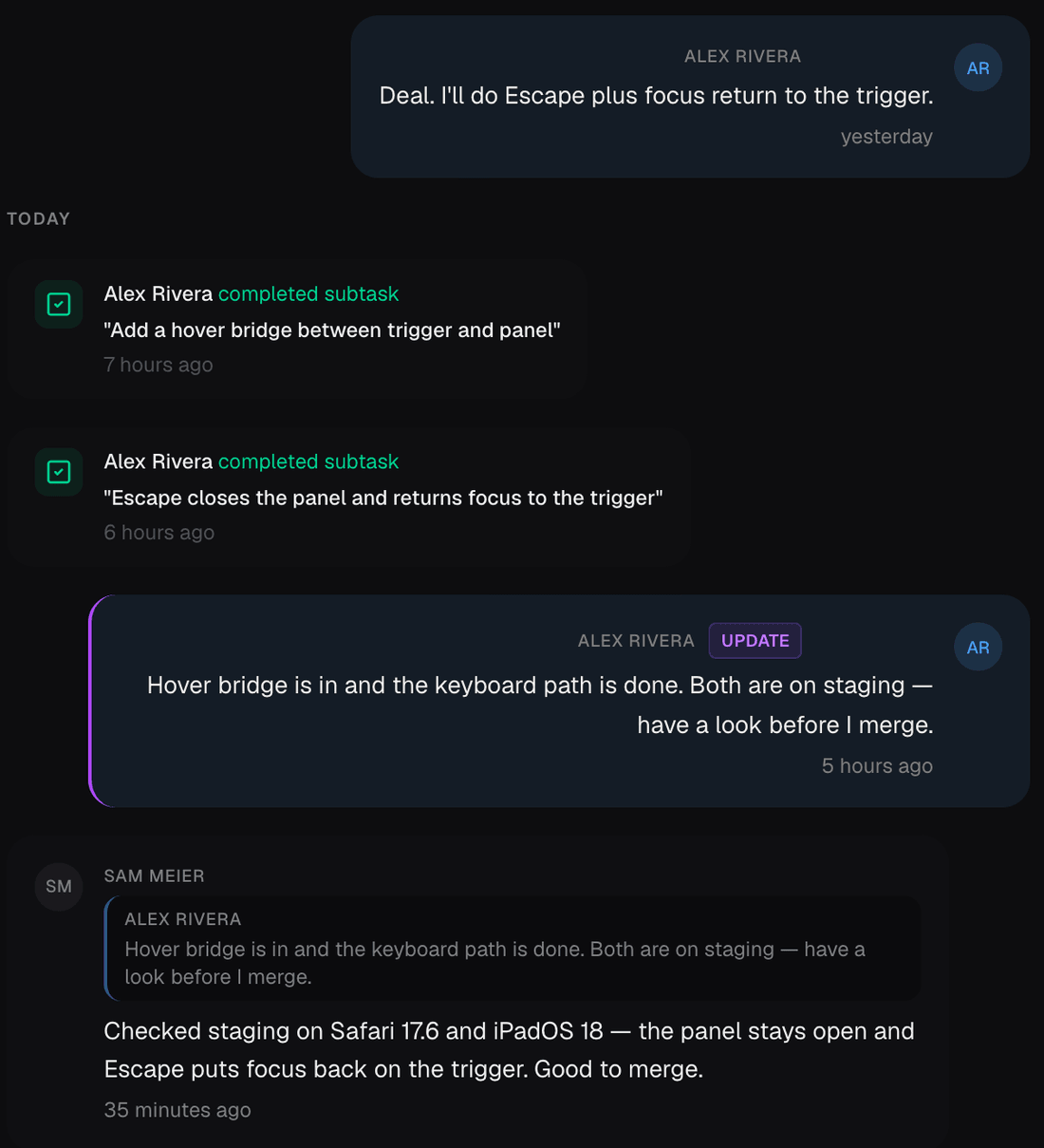
Inline replies quote the original message to keep technical context intact. Mark key milestones as updates so team members and clients spot progress instantly.

A comment thread with a quoted reply and an update badge
Today

Morning briefing without the hunting

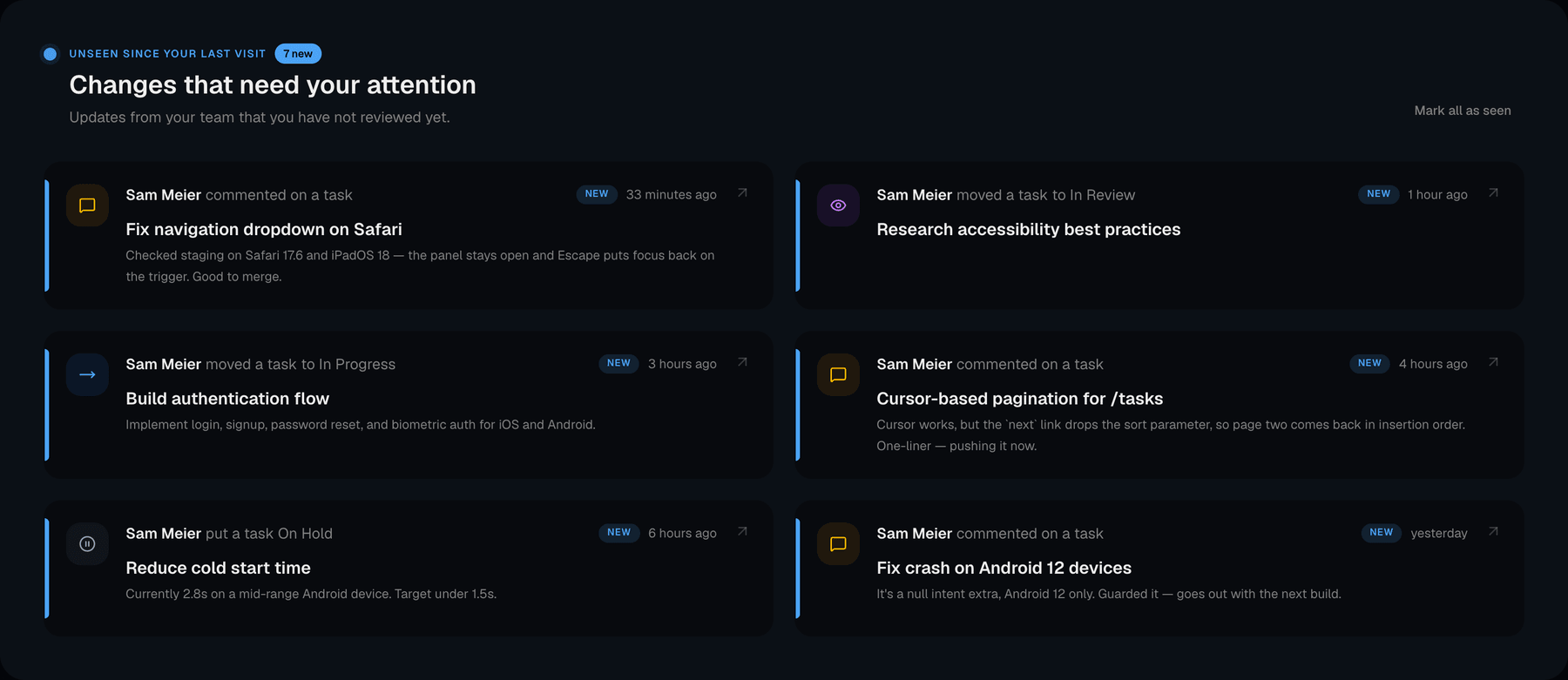
Catch up on team updates, active comment threads, and prioritized work the moment you sit down — neatly sorted by urgency.

The Today dashboard listing unseen changes from a teammate
Share

Client-ready links, zero login

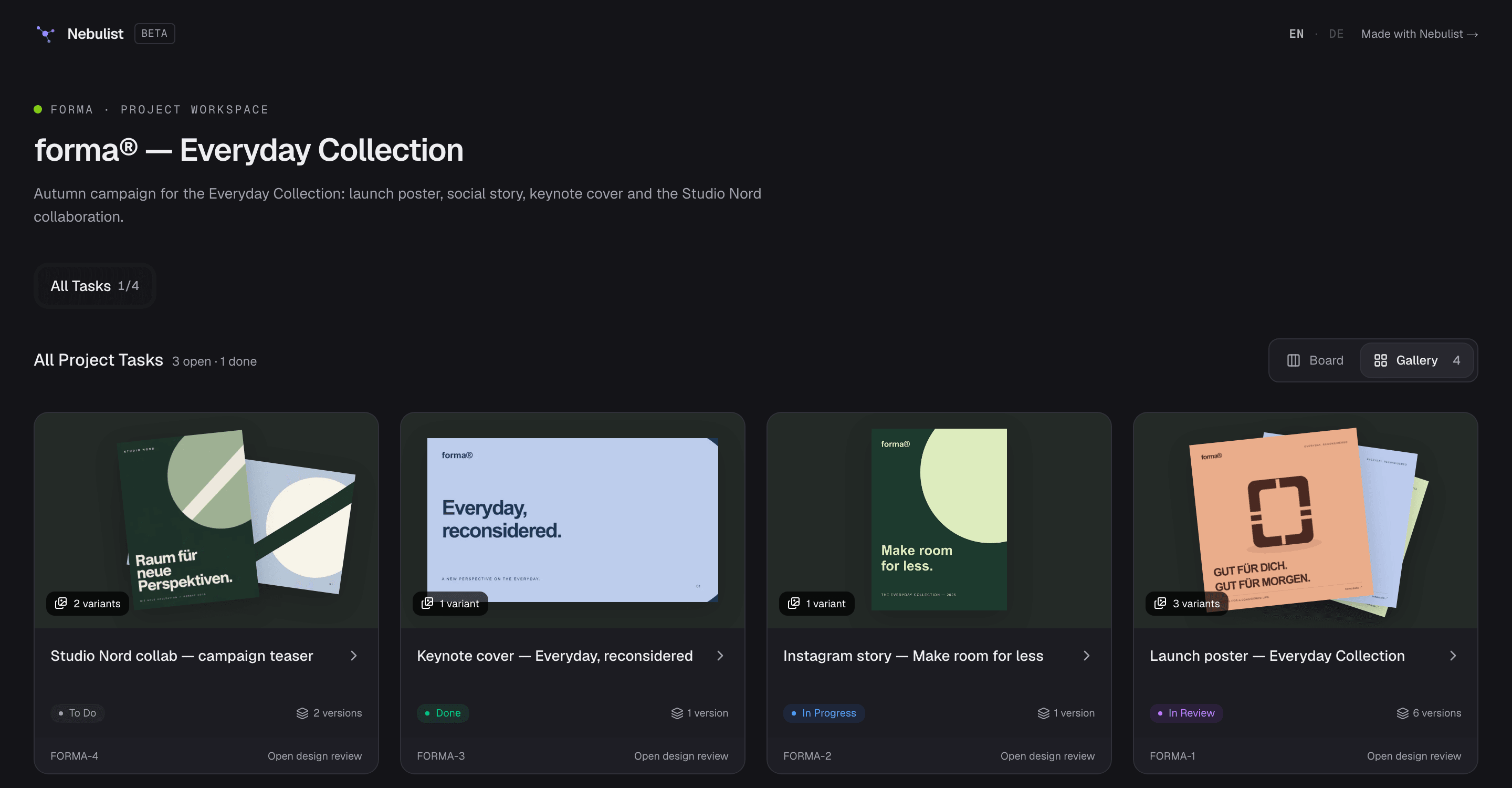
Share a read-only project with live progress. For design projects the gallery and every review come along: guests comment, approve and see exactly what the team sees.

The public share page of a design project showing the gallery
Also included

Subprojects with issue prefixes

Split a project into the areas your codebase already has. Every task gets an immutable identifier like WEB-142.

Shared pins for this week

Pin a task and the whole team sees it pinned — in the project, and in one list across every project you're in.

Moodboards with numbered snapshots

Arrange references on a canvas, save it as a version and review it like any other design.

Password-protected shares

Put a password on a shared project. Unlocks expire, the link stays the same.

Attachments and project resources

Drop files on a task or paste them straight into a comment. Brand guides and budgets live on their own Resources page.

Turn rough specs into structured tasks

PRO AI

Paste meeting notes, PR descriptions, or rough outlines. Nebulist structures them into actionable tasks with subtasks for your final review.

Made in Germany

Built in Germany. Your data stays yours.

Software built with care and respect for your privacy: no ads, no selling of your data, and access rules enforced in the database itself — by default, not as an enterprise upgrade.

No ads, no data selling

Nebulist is paid for by its plans, not by your data. No ad trackers — page analytics run without cookies.

Privacy by design

Strict row-level security at the database level, private review images served only through authorized endpoints, English and German from day one.

Clients see only what you share

You decide per link what guests see. Files reach them only through checked links, and switching the link off ends access at once.

A small team, a direct line

Built in Germany. Your feedback and support requests reach the people who write the code — in English or German.

Built for

Builders who value speed.

Solo devs

Ditch sluggish Notion databases and scattered TODO comments. A focused board with markdown notes that stay fast.

  • ›Free tier · 1 project · 50 tasks
  • ›⌘K from anywhere
  • ›Markdown notes per task

Small teams

Clear task ownership, live sync, and unread markers without Jira-level ceremony. Spend time building, not in status meetings.

  • ›Unseen-task indicators
  • ›Shared pins for the week
  • ›Team chat per project with @mentions

Design studios & agencies

Variants, versions and pinned feedback per deliverable. Clients approve an exact version from a link — no account needed.

  • ›A/B/C variants with version history
  • ›Pins, areas and freehand marks
  • ›Guest reviewers verified by email

Clients & stakeholders

Read-only views with progress bars and design reviews — no login required, no accidental edits.

  • ›Public progress link
  • ›Approve designs from a link
  • ›Password-protected shares
Pricing

Free to start. Honest after that.

Final pricing lands at v1. Early users keep their tier.

Starter

€0Free forever

A fast, minimal workspace for indie hackers and solo projects.

Start free
  • 1 project
  • Up to 50 tasks
  • Cmd+K search
  • Block-editor notes & attachments
  • Single user
RECOMMENDED

Pro

TBDper user / month

Real-time collaboration, subprojects, and shared pins for teams.

Get Pro
  • Unlimited projects & subprojects
  • Unlimited tasks
  • Real-time collaboration
  • Unseen-task indicators
  • Shared pins, public progress links

Pro AI

+ AI
TBDper user / month

Pro plus AI task drafting from rough notes and Agent Connect for your own assistant via MCP.

Get Pro AI
  • Everything in Pro
  • AI auto-title & auto-description
  • Agent Connect via MCP (Claude, Cursor, ChatGPT)
  • Bulk task import from notes
  • Priority support

All plans: ⌘K search, the block editor and an English & German interface.